
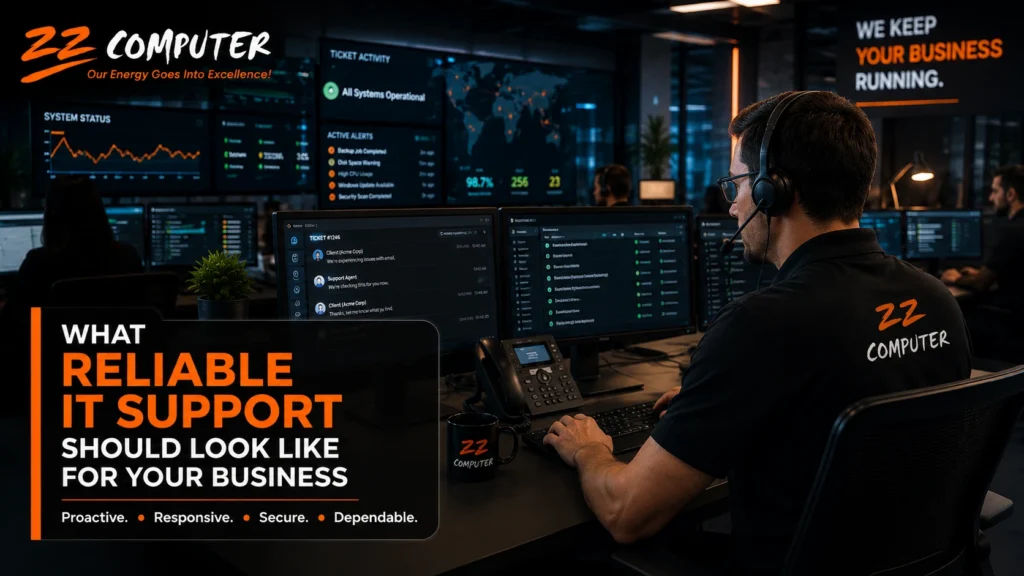
Technology problems rarely remain isolated.
A slow computer can prevent an employee from completing an important task. An internet interruption can affect an entire office. A failed backup may become a serious problem when files are accidentally deleted or encrypted by ransomware.
That is why reliable IT support involves much more than having someone available to repair a computer after it stops working.
A dependable IT support provider should help prevent problems, respond effectively when issues occur and give your business a clear plan for maintaining secure and productive technology.
Traditional break-fix support begins after something has already gone wrong.
The business reports the problem, a technician investigates it and the company receives a bill for the repair. This approach may work for occasional minor issues, but it does little to identify warning signs or reduce recurring disruptions.
Reliable IT support takes a more proactive approach.
Instead of waiting for systems to fail, the provider monitors, maintains and reviews the technology environment regularly. The objective is to find problems early, improve reliability and reduce the likelihood that a preventable issue will interrupt the business.
Reliable support begins with visibility.
The IT provider should monitor important systems for signs of trouble, including:
Monitoring does not guarantee that nothing will ever fail. It gives the support team an opportunity to respond before a minor issue becomes a larger interruption.
Routine maintenance is equally important. Operating systems, applications, network equipment and security tools must be reviewed and updated regularly.
Employees need a clear way to request support when something is not working.
A reliable provider should explain:
Not every issue requires immediate emergency attention, but employees should know that their request has been received and understand what will happen next.
Businesses should also verify the support hours included in their agreement. Claims such as “24/7 support” may refer to automated monitoring rather than immediate access to a technician.
Cybersecurity should not be treated as a separate project that is addressed once and then forgotten.
It should be part of routine IT management.
Depending on the needs of the business, this may include:
The provider should also be able to explain security recommendations in understandable language.
Business owners do not need to become cybersecurity specialists, but they should understand the risks being addressed and the responsibilities that remain with their organization.
Many businesses assume they are protected because a backup system exists.
However, a backup is only useful when the data can be restored successfully.
Reliable IT support should include regular attention to:
The recovery plan should also reflect the needs of the business.
For example, a company that depends on a central database may have different recovery priorities than a company whose employees primarily use cloud applications.
Backup is one part of business continuity, but it is not the complete plan.
A business continuity plan considers how the organization will continue operating during events such as:
The provider should help identify the systems that are essential to daily operations and establish practical recovery steps.
Reliable support should not depend on one technician remembering how everything works.
The IT environment should be documented.
Documentation may include:
This information allows another qualified technician to continue the work when the usual contact is unavailable.
Communication is just as important.
A strong IT provider should explain what happened, what was done and whether additional action is needed. Reports should help management understand recurring problems, security concerns and upcoming technology decisions.
A reliable IT provider should understand how the company uses technology.
The best technical solution is not always the most expensive or complicated option. It is the solution that supports the company’s operations, employees, budget and future plans.
The provider should ask questions such as:
These discussions help ensure that technology decisions support the business rather than creating unnecessary complexity.
Your current arrangement may need to be reviewed when:
One isolated problem does not necessarily indicate poor service. A pattern of unclear communication, repeated failures and reactive support deserves closer attention.
Use the following questions to evaluate your current support arrangement:
1. How Do You Monitor Our Systems?
Ask what is monitored, who receives alerts and what happens when a potential problem is identified.
2. How Are Backups Verified?
Confirm whether backups are reviewed and whether data restoration is tested.
3. What Security Protections Are Included?
Request a plain-language explanation of the tools, processes and responsibilities included in your service.
4. How Are Urgent Problems Prioritized?
Understand the provider’s escalation process and expected response for critical issues.
5. How Is Our Technology Documented?
Ask who maintains the documentation and how often it is updated.
6. How Do You Help Us Plan Ahead?
A reliable provider should help anticipate replacements, upgrades, security improvements and future technology needs.
Reliable IT support is not defined by a single tool or service.
It comes from combining proactive maintenance, responsive assistance, cybersecurity, verified backups, clear documentation and practical technology planning.
The right support structure should help employees remain productive, give management better visibility and reduce uncertainty when technical problems occur.
ZZ Computer provides managed IT support, cybersecurity services, cloud solutions, backup and recovery assistance, and technology guidance for businesses that need a dependable approach to managing their systems.
We firmly believe that the internet should be available and accessible to anyone, and are committed to providing a website that is accessible to the widest possible audience, regardless of circumstance and ability.
To fulfill this, we aim to adhere as strictly as possible to the World Wide Web Consortium’s (W3C) Web Content Accessibility Guidelines 2.1 (WCAG 2.1) at the AA level. These guidelines explain how to make web content accessible to people with a wide array of disabilities. Complying with those guidelines helps us ensure that the website is accessible to all people: blind people, people with motor impairments, visual impairment, cognitive disabilities, and more.
This website utilizes various technologies that are meant to make it as accessible as possible at all times. We utilize an accessibility interface that allows persons with specific disabilities to adjust the website’s UI (user interface) and design it to their personal needs.
Additionally, the website utilizes an AI-based application that runs in the background and optimizes its accessibility level constantly. This application remediates the website’s HTML, adapts Its functionality and behavior for screen-readers used by the blind users, and for keyboard functions used by individuals with motor impairments.
If you’ve found a malfunction or have ideas for improvement, we’ll be happy to hear from you. You can reach out to the website’s operators by using the following email
Our website implements the ARIA attributes (Accessible Rich Internet Applications) technique, alongside various different behavioral changes, to ensure blind users visiting with screen-readers are able to read, comprehend, and enjoy the website’s functions. As soon as a user with a screen-reader enters your site, they immediately receive a prompt to enter the Screen-Reader Profile so they can browse and operate your site effectively. Here’s how our website covers some of the most important screen-reader requirements, alongside console screenshots of code examples:
Screen-reader optimization: we run a background process that learns the website’s components from top to bottom, to ensure ongoing compliance even when updating the website. In this process, we provide screen-readers with meaningful data using the ARIA set of attributes. For example, we provide accurate form labels; descriptions for actionable icons (social media icons, search icons, cart icons, etc.); validation guidance for form inputs; element roles such as buttons, menus, modal dialogues (popups), and others. Additionally, the background process scans all of the website’s images and provides an accurate and meaningful image-object-recognition-based description as an ALT (alternate text) tag for images that are not described. It will also extract texts that are embedded within the image, using an OCR (optical character recognition) technology. To turn on screen-reader adjustments at any time, users need only to press the Alt+1 keyboard combination. Screen-reader users also get automatic announcements to turn the Screen-reader mode on as soon as they enter the website.
These adjustments are compatible with all popular screen readers, including JAWS and NVDA.
Keyboard navigation optimization: The background process also adjusts the website’s HTML, and adds various behaviors using JavaScript code to make the website operable by the keyboard. This includes the ability to navigate the website using the Tab and Shift+Tab keys, operate dropdowns with the arrow keys, close them with Esc, trigger buttons and links using the Enter key, navigate between radio and checkbox elements using the arrow keys, and fill them in with the Spacebar or Enter key.Additionally, keyboard users will find quick-navigation and content-skip menus, available at any time by clicking Alt+1, or as the first elements of the site while navigating with the keyboard. The background process also handles triggered popups by moving the keyboard focus towards them as soon as they appear, and not allow the focus drift outside of it.
Users can also use shortcuts such as “M” (menus), “H” (headings), “F” (forms), “B” (buttons), and “G” (graphics) to jump to specific elements.
We aim to support the widest array of browsers and assistive technologies as possible, so our users can choose the best fitting tools for them, with as few limitations as possible. Therefore, we have worked very hard to be able to support all major systems that comprise over 95% of the user market share including Google Chrome, Mozilla Firefox, Apple Safari, Opera and Microsoft Edge, JAWS and NVDA (screen readers), both for Windows and for MAC users.
Despite our very best efforts to allow anybody to adjust the website to their needs, there may still be pages or sections that are not fully accessible, are in the process of becoming accessible, or are lacking an adequate technological solution to make them accessible. Still, we are continually improving our accessibility, adding, updating and improving its options and features, and developing and adopting new technologies. All this is meant to reach the optimal level of accessibility, following technological advancements. For any assistance, please reach out to