
Technology supports nearly every part of a modern business. Employees depend on computers and cloud applications. Customer and financial information is stored digitally. Email, Microsoft 365, networks, servers, mobile devices, and internet connections are often essential to everyday operations.
But how much risk is hidden inside that technology?
An IT risk assessment is a structured review of the technology risks that could disrupt your business, compromise information, or interfere with critical operations. It identifies important systems and data, examines potential threats and vulnerabilities, considers the possible business impact, and helps determine which risks deserve attention first.
For small and mid-sized businesses, an IT risk assessment provides something particularly valuable: a clearer picture of where the organization is vulnerable before a failure, cyberattack, or data-loss incident exposes the problem.
An IT risk assessment evaluates the technology your business depends on and the risks associated with that technology.
The goal is not simply to create a list of technical problems. A useful assessment connects technology weaknesses to their potential effect on the business.
For example, discovering that a server is several years old is useful information. Understanding that the same server runs a critical application, has no practical failover option, and could leave employees unable to work if it fails turns that technical issue into a business risk.
The same principle applies to cybersecurity.
An employee account without adequate security controls is a technical weakness. If that account provides access to sensitive customer information, email, or financial documents, the potential business impact becomes much more significant.
An IT risk assessment helps establish those connections.
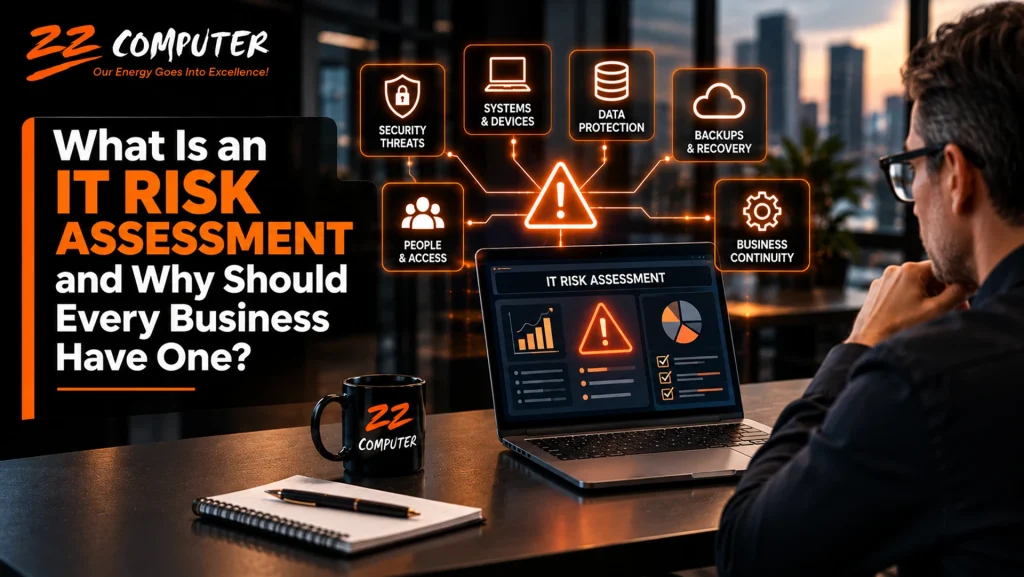
The exact scope depends on the organization, but a business IT risk assessment commonly reviews several interconnected areas.
Computers, servers, firewalls, networking equipment, storage systems, wireless networks, and other infrastructure should be evaluated for reliability, age, configuration, and importance to business operations.
Older equipment is not automatically a problem. The more important question is what would happen if a critical device failed and how quickly it could be repaired or replaced.
Businesses increasingly depend on cloud platforms, Microsoft 365, industry-specific applications, accounting software, customer management systems, and other online services.
An assessment should identify which applications are critical, who has access to them, how they are protected, and what dependencies could affect the business if a service becomes unavailable.
Cybersecurity is an important part of IT risk, although it is not the only part.
An assessment may examine areas such as account security, multi-factor authentication, endpoint protection, software patching, firewall configuration, administrative privileges, remote access, and employee security practices.
The purpose is to identify weaknesses that could increase the likelihood or potential impact of a security incident.
A business needs to know what important data it has, where that information is stored, who can access it, how it is backed up, and whether it can be recovered.
Having a backup system does not automatically eliminate data-loss risk. Backups need to cover the correct information, remain protected, and be recoverable when needed.
This is why backup testing and disaster recovery planning naturally connect to a broader IT risk assessment.
Technology risk also involves people.
Employees, contractors, vendors, and administrators may have access to company systems and information. An assessment can help identify unnecessary permissions, outdated accounts, shared credentials, inconsistent security practices, or access that was never removed after someone changed roles or left the organization.
An IT risk assessment should also consider what happens after something goes wrong.
If a server fails, ransomware disrupts operations, internet service becomes unavailable, or important cloud data is lost, how will the business continue operating?
Understanding which systems must be restored first, how backups will be used, who is responsible for recovery, and how employees will continue working can expose gaps that might otherwise remain unnoticed until an emergency occurs.
An effective IT risk assessment does more than scan a network for vulnerabilities. It looks at technology in the context of how the business actually operates.
The first step is understanding what the organization depends on.
That may include servers, employee computers, Microsoft 365, cloud applications, network equipment, business software, customer databases, accounting systems, websites, backup systems, and third-party services.
Not every asset has the same importance.
A rarely used workstation represents a different level of business risk than the server hosting a company’s primary business application.
The next step is identifying what could go wrong and what weaknesses could make those events more damaging.
Potential risks might include:
The objective is not to assume every possible problem will occur. It is to understand which scenarios deserve serious consideration.
Risk becomes more useful when the business considers both the possibility of an event and its consequences.
Suppose two systems have security vulnerabilities.
One contains little sensitive information and can be replaced quickly. The other contains essential business data and is required by nearly every employee.
Even if the technical vulnerabilities appear similar, the business risks may be very different.
Potential impact can include lost productivity, interrupted customer service, data loss, recovery expenses, reputational damage, and compliance concerns.
Most businesses cannot address every technology concern at once, nor do they necessarily need to.
A risk assessment helps establish priorities.
A critical backup failure affecting essential business data should probably receive attention before replacing a noncritical computer simply because it is getting older.
Prioritization allows management to direct time and technology spending toward problems that present the greatest combination of likelihood and potential impact.
The assessment should result in action.
Depending on what is discovered, recommendations might include replacing unsupported equipment, enabling multi-factor authentication, improving endpoint protection, correcting backup gaps, removing unnecessary accounts, updating software, segmenting a network, documenting recovery procedures, or improving employee security awareness.
Some risks can be addressed immediately. Others may require budgeting and longer-term planning.
The important point is that management understands the risk and can make an informed decision about what to do next.
Cybersecurity receives considerable attention, and for good reason. But businesses should not make the mistake of treating every IT risk as a hacking problem.
A business can experience a serious technology disruption without anyone attacking it.
A storage device can fail. An employee can accidentally delete information. A critical application can stop working after an update. A backup can be misconfigured. Aging network equipment can fail unexpectedly. A cloud account can be incorrectly configured. An important system may depend on one person who is unavailable when a problem occurs.
A comprehensive IT risk assessment considers security, reliability, recoverability, and operational dependence together.
That broader perspective is especially important for smaller businesses, where one system failure can affect a large percentage of the workforce.
Smaller organizations sometimes assume formal risk assessments are primarily for large corporations with dedicated cybersecurity departments.
The basic principle, however, applies to organizations of any size.
NIST’s Cybersecurity Framework 2.0 is designed for organizations regardless of size, sector, or cybersecurity maturity. Its guidance emphasizes understanding assets, vulnerabilities, threats, likelihood, potential impact, and appropriate responses to cybersecurity risk.
For a small or mid-sized business, the process does not have to become an enormous compliance exercise.
The practical objective is to answer questions such as:
Those answers can help management make better technology decisions.
One of the most useful outcomes of a risk assessment is a better technology roadmap.
Without an assessment, technology spending can become reactive. A computer gets replaced because it fails. Security software is purchased after a scare. Backup procedures receive attention after someone loses a file.
Risk-based planning changes the conversation.
Instead of asking, “What should we buy next?” management can ask, “Which technology risks could have the greatest effect on our business, and what is the most practical way to reduce them?”
That approach can help prioritize upgrades, cybersecurity improvements, backup investments, cloud changes, and business continuity planning based on actual business needs.
There is no single schedule appropriate for every organization.
Risk should be reviewed periodically and when meaningful changes occur in the technology environment or business.
For example, another review may be appropriate after moving important systems to the cloud, adopting a major new application, opening another location, making substantial network changes, experiencing a cybersecurity incident, or significantly changing how employees work.
Technology environments evolve. New systems are introduced, employees change roles, vendors change, equipment ages, and new vulnerabilities are discovered.
A risk assessment therefore works best as part of an ongoing IT management process rather than as a document created once and forgotten.
Every business accepts some level of risk. The objective of an IT risk assessment is not to eliminate every possible technology problem.
It is to make those risks visible.
When business owners understand which systems matter most, where important vulnerabilities exist, what the potential impact could be, and which improvements deserve priority, they can make better-informed decisions about technology and security.
That can mean fixing a backup problem before data is lost, replacing critical equipment before it fails, strengthening account security before credentials are compromised, or creating a recovery plan before an outage interrupts the business.
ZZ Computer helps small and mid-sized businesses evaluate their technology environments and identify risks that can affect security, reliability, data protection, and business continuity.
An IT review can help uncover weaknesses involving networks, cybersecurity, backups, cloud services, endpoints, aging technology, access controls, and recovery planning. Those findings can then be prioritized according to the needs of the business rather than treated as an unrelated list of technical issues.
If you are unsure where the greatest technology risks exist in your organization, ZZ Computer can help you review your current environment and develop practical priorities for improving it.
Call ZZ Computer at 310-826-6800 or contact us through the website to discuss an IT risk assessment, managed IT services, cybersecurity, backup and recovery, or IT consulting for your business.
We firmly believe that the internet should be available and accessible to anyone, and are committed to providing a website that is accessible to the widest possible audience, regardless of circumstance and ability.
To fulfill this, we aim to adhere as strictly as possible to the World Wide Web Consortium’s (W3C) Web Content Accessibility Guidelines 2.1 (WCAG 2.1) at the AA level. These guidelines explain how to make web content accessible to people with a wide array of disabilities. Complying with those guidelines helps us ensure that the website is accessible to all people: blind people, people with motor impairments, visual impairment, cognitive disabilities, and more.
This website utilizes various technologies that are meant to make it as accessible as possible at all times. We utilize an accessibility interface that allows persons with specific disabilities to adjust the website’s UI (user interface) and design it to their personal needs.
Additionally, the website utilizes an AI-based application that runs in the background and optimizes its accessibility level constantly. This application remediates the website’s HTML, adapts Its functionality and behavior for screen-readers used by the blind users, and for keyboard functions used by individuals with motor impairments.
If you’ve found a malfunction or have ideas for improvement, we’ll be happy to hear from you. You can reach out to the website’s operators by using the following email
Our website implements the ARIA attributes (Accessible Rich Internet Applications) technique, alongside various different behavioral changes, to ensure blind users visiting with screen-readers are able to read, comprehend, and enjoy the website’s functions. As soon as a user with a screen-reader enters your site, they immediately receive a prompt to enter the Screen-Reader Profile so they can browse and operate your site effectively. Here’s how our website covers some of the most important screen-reader requirements, alongside console screenshots of code examples:
Screen-reader optimization: we run a background process that learns the website’s components from top to bottom, to ensure ongoing compliance even when updating the website. In this process, we provide screen-readers with meaningful data using the ARIA set of attributes. For example, we provide accurate form labels; descriptions for actionable icons (social media icons, search icons, cart icons, etc.); validation guidance for form inputs; element roles such as buttons, menus, modal dialogues (popups), and others. Additionally, the background process scans all of the website’s images and provides an accurate and meaningful image-object-recognition-based description as an ALT (alternate text) tag for images that are not described. It will also extract texts that are embedded within the image, using an OCR (optical character recognition) technology. To turn on screen-reader adjustments at any time, users need only to press the Alt+1 keyboard combination. Screen-reader users also get automatic announcements to turn the Screen-reader mode on as soon as they enter the website.
These adjustments are compatible with all popular screen readers, including JAWS and NVDA.
Keyboard navigation optimization: The background process also adjusts the website’s HTML, and adds various behaviors using JavaScript code to make the website operable by the keyboard. This includes the ability to navigate the website using the Tab and Shift+Tab keys, operate dropdowns with the arrow keys, close them with Esc, trigger buttons and links using the Enter key, navigate between radio and checkbox elements using the arrow keys, and fill them in with the Spacebar or Enter key.Additionally, keyboard users will find quick-navigation and content-skip menus, available at any time by clicking Alt+1, or as the first elements of the site while navigating with the keyboard. The background process also handles triggered popups by moving the keyboard focus towards them as soon as they appear, and not allow the focus drift outside of it.
Users can also use shortcuts such as “M” (menus), “H” (headings), “F” (forms), “B” (buttons), and “G” (graphics) to jump to specific elements.
We aim to support the widest array of browsers and assistive technologies as possible, so our users can choose the best fitting tools for them, with as few limitations as possible. Therefore, we have worked very hard to be able to support all major systems that comprise over 95% of the user market share including Google Chrome, Mozilla Firefox, Apple Safari, Opera and Microsoft Edge, JAWS and NVDA (screen readers), both for Windows and for MAC users.
Despite our very best efforts to allow anybody to adjust the website to their needs, there may still be pages or sections that are not fully accessible, are in the process of becoming accessible, or are lacking an adequate technological solution to make them accessible. Still, we are continually improving our accessibility, adding, updating and improving its options and features, and developing and adopting new technologies. All this is meant to reach the optimal level of accessibility, following technological advancements. For any assistance, please reach out to