
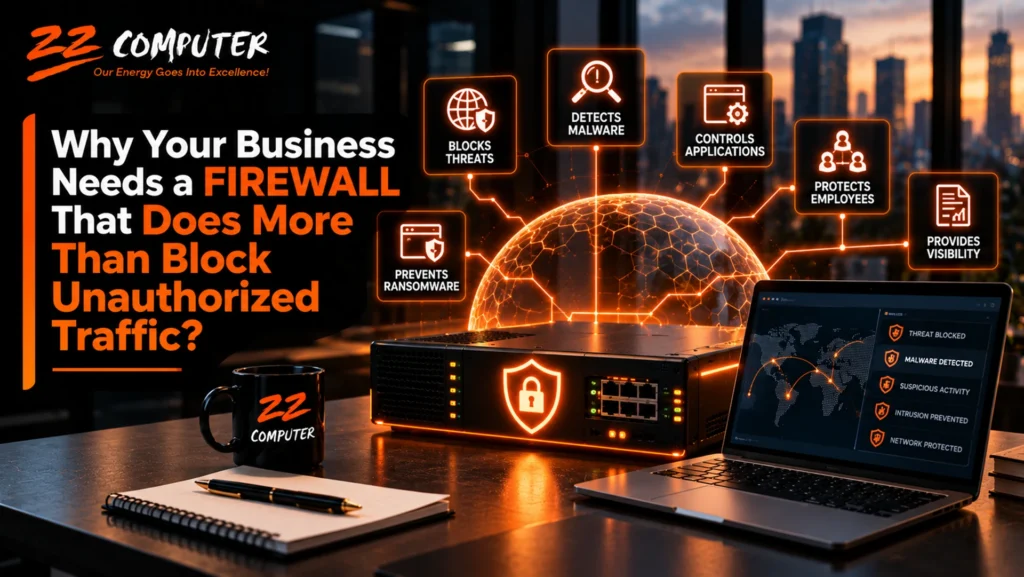
A firewall is one of the most important security tools protecting your business network. But if your firewall is only blocking unauthorized connections, it may not be providing the level of protection your business needs.
Cyber threats have changed considerably. Attackers no longer rely exclusively on obvious attempts to break into networks. They use malicious websites, infected email attachments, compromised software, stolen credentials, and seemingly legitimate internet traffic to gain access to business systems.
Traditional firewalls still serve an important purpose, but modern businesses often need more sophisticated protection.
An advanced firewall, commonly called a next-generation firewall (NGFW), can examine network activity more closely, identify suspicious behavior, apply security policies to applications, and help stop certain threats before they reach critical business systems.
For small and mid-sized businesses, understanding these capabilities is an important part of building a stronger cybersecurity strategy.
A traditional firewall acts as a security checkpoint between your business network and other networks, including the internet.
It examines network traffic and determines whether connections should be allowed or blocked based on established security rules.
These rules may consider information such as IP addresses, network ports, and communication protocols.
For example, a firewall can block unsolicited connections from the internet while allowing employees to access approved online services.
This type of protection remains valuable, but it has limitations.
A connection that appears legitimate based on its address, port, or protocol may still carry malicious content. A traditional firewall that evaluates only basic connection information may not recognize the threat.
That is where more advanced firewall capabilities become important.
A next-generation firewall builds on traditional firewall capabilities by providing additional visibility and security controls.
Rather than focusing only on where traffic originates and where it is going, an NGFW can also examine the applications and activities associated with network connections.
Depending on the product, licensing, and configuration, advanced capabilities may include intrusion prevention, application awareness, malicious website filtering, malware detection, encrypted traffic inspection, and centralized security reporting.
These features help businesses identify threats that might otherwise pass through basic network filtering.
However, purchasing an advanced firewall does not automatically mean every security feature is active or properly configured.
Effective protection depends on selecting appropriate capabilities, maintaining subscriptions and updates, establishing suitable policies, and regularly reviewing the firewall’s performance.
One of the most valuable capabilities of an advanced firewall is intrusion prevention.
An intrusion prevention system (IPS) examines network traffic for patterns associated with known attacks, attempts to exploit software vulnerabilities, and other suspicious activity.
For example, an attacker may attempt to exploit a vulnerability in an internet-facing application or network service.
A properly configured IPS may recognize characteristics of that attack and block the connection before the exploit succeeds.
This provides an additional layer of protection beyond simply allowing or denying traffic based on network addresses.
Intrusion prevention is not perfect. Detection depends on the system’s capabilities, current threat information, configuration, and visibility into the traffic being inspected.
Nevertheless, it can significantly improve a business’s ability to identify and respond to certain network-based threats.
Employees regularly visit websites for research, customer service, purchasing, banking, and other business activities.
Unfortunately, malicious websites can appear in search results, phishing messages, online advertisements, and links shared through email or messaging applications.
Some websites attempt to steal login credentials. Others distribute malware or redirect visitors to fraudulent pages.
Advanced firewalls may include web filtering and threat intelligence services that identify known malicious destinations.
For example, if an employee clicks a link leading to a recognized phishing website, the firewall may block access before the page loads.
Businesses can also establish policies restricting access to certain categories of websites when appropriate.
Web filtering does not eliminate phishing or other online threats, particularly when malicious sites are new or have not yet been identified. However, it provides another useful layer of defense.
Traditional firewalls commonly make decisions based on network ports and protocols.
Modern applications frequently use the same standard internet connections, making it difficult to distinguish between different services using basic firewall rules alone.
Application-aware firewalls can identify supported applications and apply policies based on how those applications are being used.
For example, a business might permit approved collaboration applications while restricting unauthorized file-sharing services.
This can help reduce unnecessary exposure and support company security policies.
Application controls may also provide useful information about which services are consuming network resources.
That visibility can help IT administrators identify unexpected activity, investigate performance problems, and make better decisions about network access.
Ransomware is a serious concern for businesses because it can encrypt files, interrupt operations, and potentially lead to the theft of sensitive information.
An advanced firewall can help reduce certain ransomware and malware risks by detecting known malicious traffic, blocking access to dangerous websites, and identifying some communications associated with compromised systems.
For example, malware installed on an employee’s computer may attempt to contact an external server to receive instructions.
A firewall using current threat intelligence may recognize and block that communication.
However, no firewall can guarantee protection against ransomware.
Malware can enter through infected files, compromised accounts, vulnerable applications, and other methods that may not be visible to a network firewall.
Businesses still need endpoint security, software updates, access controls, employee awareness, reliable backups, and tested recovery procedures.
The firewall should be one part of a broader cybersecurity strategy, not the organization’s only defense.
Much of today’s internet traffic uses encryption to protect information while it travels between systems.
Encryption is essential for privacy and security, but it also creates challenges for network security tools.
Malicious communications can sometimes travel through encrypted connections that appear ordinary to security devices.
Some advanced firewalls support inspection of selected encrypted traffic, allowing security tools to examine certain communications for threats.
This capability must be planned carefully.
Encrypted traffic inspection can introduce performance requirements, privacy considerations, certificate management responsibilities, and compatibility issues with certain applications.
Businesses should establish appropriate policies and exclusions, and ensure that inspection is implemented only where justified and technically suitable.
A properly designed approach balances security visibility with employee privacy, application reliability, and business requirements.
Many businesses now have employees working from home, traveling, or accessing company applications from multiple locations.
That creates additional security considerations.
An advanced firewall may support secure remote connectivity through virtual private networks (VPNs), along with policies controlling which internal resources remote users can access.
For example, an employee who needs access to a specific internal business application may not require unrestricted access to the entire company network.
Limiting access to necessary resources can help reduce the potential impact of compromised credentials or devices.
However, a firewall installed at the office does not automatically protect every internet connection used by a remote employee.
Businesses may also need endpoint protection, identity-based access controls, multi-factor authentication, and security measures designed for cloud applications and remote devices.
Not every device on a business network needs to communicate with every other device.
For example, employee computers, guest Wi-Fi, servers, security cameras, printers, and other connected equipment may have different security requirements.
Network segmentation separates systems into logical network areas and controls the communication permitted between them.
A firewall can help enforce these boundaries.
For example, guest wireless users can be prevented from accessing internal business servers. Devices with limited security capabilities can be isolated from sensitive systems.
Segmentation can also help limit the movement of an attacker who gains access to one part of the network.
The goal is to reduce unnecessary connections and make it more difficult for a single compromised device to affect the entire organization.
Effective segmentation requires careful network design and ongoing management, but it can be particularly valuable for businesses handling sensitive information or operating critical internal systems.
A firewall should do more than quietly process network connections.
Advanced firewalls can generate logs, alerts, and reports that help IT administrators understand what is happening on the network.
Depending on the system, this information may include blocked intrusion attempts, suspicious destinations, application activity, policy violations, and unusual traffic patterns.
These records can help administrators investigate potential security incidents and identify problems that need attention.
However, collecting security information is only useful when someone reviews and acts on it.
A firewall that generates hundreds of alerts without an effective monitoring process may provide less practical protection than expected.
Businesses should establish appropriate alerting, log retention, monitoring responsibilities, and incident response procedures.
An advanced firewall is not a one-time purchase that can be installed and forgotten.
Firewall manufacturers regularly release firmware updates to address security vulnerabilities, correct problems, and improve performance.
Many advanced protection features also depend on active security subscriptions.
Depending on the product, these subscriptions may provide intrusion prevention updates, malware detection, web filtering, and threat intelligence services.
If subscriptions expire, some advanced capabilities may stop functioning or may no longer receive current security information.
Likewise, a firewall that has reached the end of manufacturer support may no longer receive important security updates.
Businesses should track firewall support dates, licensing renewals, firmware versions, and replacement requirements as part of their ongoing IT management.
A firewall may be operating normally while still leaving important security gaps.
Business owners should understand whether their current firewall meets their organization’s actual needs.
Several questions can help guide an evaluation:
The answers can help determine whether the current firewall remains appropriate or whether improvements are needed.
Not every business requires the same firewall features, performance capacity, or level of complexity.
A small professional office with primarily cloud-based applications may have different requirements from a business operating multiple locations, internal servers, specialized applications, or systems containing highly sensitive information.
The appropriate firewall should reflect the organization’s network architecture, security risks, remote access needs, operational requirements, and budget.
In some environments, a managed security service or cloud-based security architecture may also be part of the solution.
The important point is that businesses should not assume a basic firewall provides sufficient protection simply because it blocks unauthorized incoming connections.
Security requirements should be evaluated against the threats and business systems the organization needs to protect.
Advanced firewalls provide powerful capabilities, but those capabilities require proper implementation and maintenance.
Poorly configured rules can unintentionally allow unnecessary access or interfere with legitimate business applications.
Security features may be disabled because of performance concerns or compatibility problems. Important alerts may go unnoticed. Firmware updates may be postponed.
Professional firewall management helps address these issues through appropriate configuration, regular maintenance, security monitoring, policy reviews, and technology planning.
It also helps businesses understand when existing equipment is no longer adequate and when replacement may be necessary.
For organizations without dedicated internal cybersecurity personnel, managed firewall services can provide valuable ongoing oversight.
Modern cybersecurity requires multiple layers of protection.
An advanced firewall helps protect network communications, identify certain threats, control application access, and improve visibility into suspicious activity.
But it cannot replace endpoint protection, multi-factor authentication, secure account management, employee training, backup and disaster recovery, or timely software updates.
These protections work together to reduce the likelihood and potential impact of a cybersecurity incident.
For small and mid-sized businesses, the objective should be a practical security strategy that addresses the organization’s most important risks without introducing unnecessary complexity.
Your business firewall should do more than block unwanted connections. It should be part of a well-managed security strategy that protects employees, business applications, sensitive information, and critical network resources.
ZZ Computer helps small and mid-sized businesses in Los Angeles evaluate their network security, identify potential vulnerabilities, and implement practical cybersecurity improvements.
Through managed IT services, cybersecurity, network support, and IT consulting, ZZ Computer can help businesses assess their firewall capabilities, improve network protection, and maintain a more secure technology environment.
Is your current firewall providing the protection your business needs?
Contact ZZ Computer to discuss your network security requirements and determine whether your existing firewall and cybersecurity measures are appropriate for your business.
ZZ Computer
Website: https://zzcomputer.com
Email: info@zzcomputer.com
Phone: 310-826-6800
We firmly believe that the internet should be available and accessible to anyone, and are committed to providing a website that is accessible to the widest possible audience, regardless of circumstance and ability.
To fulfill this, we aim to adhere as strictly as possible to the World Wide Web Consortium’s (W3C) Web Content Accessibility Guidelines 2.1 (WCAG 2.1) at the AA level. These guidelines explain how to make web content accessible to people with a wide array of disabilities. Complying with those guidelines helps us ensure that the website is accessible to all people: blind people, people with motor impairments, visual impairment, cognitive disabilities, and more.
This website utilizes various technologies that are meant to make it as accessible as possible at all times. We utilize an accessibility interface that allows persons with specific disabilities to adjust the website’s UI (user interface) and design it to their personal needs.
Additionally, the website utilizes an AI-based application that runs in the background and optimizes its accessibility level constantly. This application remediates the website’s HTML, adapts Its functionality and behavior for screen-readers used by the blind users, and for keyboard functions used by individuals with motor impairments.
If you’ve found a malfunction or have ideas for improvement, we’ll be happy to hear from you. You can reach out to the website’s operators by using the following email
Our website implements the ARIA attributes (Accessible Rich Internet Applications) technique, alongside various different behavioral changes, to ensure blind users visiting with screen-readers are able to read, comprehend, and enjoy the website’s functions. As soon as a user with a screen-reader enters your site, they immediately receive a prompt to enter the Screen-Reader Profile so they can browse and operate your site effectively. Here’s how our website covers some of the most important screen-reader requirements, alongside console screenshots of code examples:
Screen-reader optimization: we run a background process that learns the website’s components from top to bottom, to ensure ongoing compliance even when updating the website. In this process, we provide screen-readers with meaningful data using the ARIA set of attributes. For example, we provide accurate form labels; descriptions for actionable icons (social media icons, search icons, cart icons, etc.); validation guidance for form inputs; element roles such as buttons, menus, modal dialogues (popups), and others. Additionally, the background process scans all of the website’s images and provides an accurate and meaningful image-object-recognition-based description as an ALT (alternate text) tag for images that are not described. It will also extract texts that are embedded within the image, using an OCR (optical character recognition) technology. To turn on screen-reader adjustments at any time, users need only to press the Alt+1 keyboard combination. Screen-reader users also get automatic announcements to turn the Screen-reader mode on as soon as they enter the website.
These adjustments are compatible with all popular screen readers, including JAWS and NVDA.
Keyboard navigation optimization: The background process also adjusts the website’s HTML, and adds various behaviors using JavaScript code to make the website operable by the keyboard. This includes the ability to navigate the website using the Tab and Shift+Tab keys, operate dropdowns with the arrow keys, close them with Esc, trigger buttons and links using the Enter key, navigate between radio and checkbox elements using the arrow keys, and fill them in with the Spacebar or Enter key.Additionally, keyboard users will find quick-navigation and content-skip menus, available at any time by clicking Alt+1, or as the first elements of the site while navigating with the keyboard. The background process also handles triggered popups by moving the keyboard focus towards them as soon as they appear, and not allow the focus drift outside of it.
Users can also use shortcuts such as “M” (menus), “H” (headings), “F” (forms), “B” (buttons), and “G” (graphics) to jump to specific elements.
We aim to support the widest array of browsers and assistive technologies as possible, so our users can choose the best fitting tools for them, with as few limitations as possible. Therefore, we have worked very hard to be able to support all major systems that comprise over 95% of the user market share including Google Chrome, Mozilla Firefox, Apple Safari, Opera and Microsoft Edge, JAWS and NVDA (screen readers), both for Windows and for MAC users.
Despite our very best efforts to allow anybody to adjust the website to their needs, there may still be pages or sections that are not fully accessible, are in the process of becoming accessible, or are lacking an adequate technological solution to make them accessible. Still, we are continually improving our accessibility, adding, updating and improving its options and features, and developing and adopting new technologies. All this is meant to reach the optimal level of accessibility, following technological advancements. For any assistance, please reach out to