
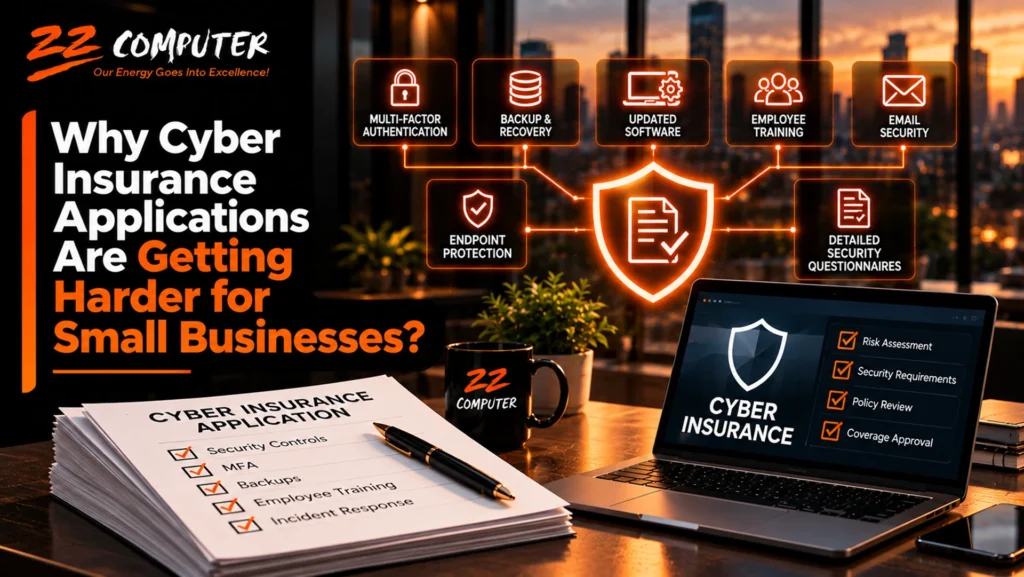
Cyber insurance used to seem like a relatively straightforward business decision. A company would provide basic information about its operations, answer questions about its technology, and obtain a quote for coverage.
Today, many small and mid-sized businesses are discovering that the application process requires much more detailed information.
Insurance companies increasingly want to understand how businesses protect their networks, secure employee accounts, maintain backups, respond to security incidents, and manage cybersecurity risks.
For business owners, this can create an unexpected challenge. Questions that once seemed appropriate for an IT department are now appearing on insurance applications, and the answers can affect whether coverage is available, what it costs, and which conditions apply.
The reason is simple: cyber insurance providers want evidence that businesses are taking reasonable steps to reduce the likelihood and impact of a cyberattack.
Understanding these expectations can help businesses prepare for the application process while improving their overall cybersecurity.
Cyber insurance helps businesses manage certain financial consequences of cybersecurity incidents, subject to the terms, conditions, limits, and exclusions of their policies.
Depending on the coverage, this may include costs associated with incident response, data recovery, business interruption, legal assistance, regulatory matters, and certain liabilities to third parties.
However, cyber incidents can be expensive and complicated.
Ransomware attacks can interrupt business operations. Compromised email accounts can lead to fraudulent financial transactions. Stolen credentials can expose sensitive information, and attacks on service providers can affect multiple businesses simultaneously.
As insurers have gained more experience evaluating these risks, many have expanded their underwriting requirements.
Rather than relying primarily on a company’s size, revenue, and industry, insurers may also examine the organization’s cybersecurity practices.
For small businesses, this means an insurance application can resemble a cybersecurity assessment.
One of the most common questions on cyber insurance applications concerns multi-factor authentication (MFA).
MFA requires users to provide an additional form of verification beyond a password when accessing an account.
For example, an employee signing in to Microsoft 365 may need to approve a request through an authentication application or use another approved verification method.
This makes it more difficult for an attacker to access an account using only a stolen password.
One of the most valuable capabilities of an advanced firewall is intrusion prevention.
An intrusion prevention system (IPS) examines network traffic for patterns associated with known attacks, attempts to exploit software vulnerabilities, and other suspicious activity.
For example, an attacker may attempt to exploit a vulnerability in an internet-facing application or network service.
A properly configured IPS may recognize characteristics of that attack and block the connection before the exploit succeeds.
This provides an additional layer of protection beyond simply allowing or denying traffic based on network addresses.
Intrusion prevention is not perfect. Detection depends on the system’s capabilities, current threat information, configuration, and visibility into the traffic being inspected.
Nevertheless, it can significantly improve a business’s ability to identify and respond to certain network-based threats.
Compromised credentials are a common way attackers gain unauthorized access to business systems.
Without MFA, a stolen password may provide direct access to email, cloud applications, remote connections, or administrative accounts.
Insurance applications may ask whether MFA is enabled for:
Some insurers may require MFA across specific systems as a condition of coverage.
Simply having MFA available is not the same as enforcing it. Businesses should verify that appropriate accounts and access methods are protected.
Ransomware remains an important concern for cyber insurance providers because an attack can cause significant business interruption and recovery expenses.
Modern ransomware incidents may involve more than encrypting files. Attackers may also steal information, compromise administrative accounts, or attempt to disable security systems and backups.
As a result, insurance applications may ask about several layers of ransomware protection.
These can include endpoint security, patch management, email protection, network security, employee training, access controls, and backup procedures.
Traditional antivirus software remains useful, but many organizations need additional capabilities to identify suspicious activity.
Endpoint detection and response (EDR) solutions can monitor supported computers and servers for behaviors associated with malicious activity.
Depending on the solution and configuration, EDR may help detect suspicious processes, investigate incidents, and isolate compromised devices.
Some insurance providers specifically ask whether EDR or similar endpoint protection is deployed.
However, the presence of a security product does not guarantee protection. Its effectiveness depends on proper deployment, configuration, monitoring, and maintenance.
Most business owners understand the importance of backing up their data.
Cyber insurance applications, however, may ask questions that go well beyond whether backups exist.
Insurers may want to know where backups are stored, how they are protected, how frequently they are created, and whether the business has tested its ability to restore information.
If ransomware infects a business network, attackers may attempt to encrypt or delete accessible backups.
A backup system connected to the same environment, without appropriate isolation or access controls, may be vulnerable to the same incident.
Businesses should consider protected offsite backups, immutable backup storage where appropriate, and separate administrative access to backup systems.
A backup that has never been tested may create a false sense of security.
A business might discover during an emergency that important files were excluded, backup jobs failed, or restoring a critical application requires more time than expected.
Periodic recovery testing helps verify that information can be restored and that recovery procedures meet business requirements.
For insurers, documented backup and recovery practices may provide useful evidence that the business is prepared to respond to certain types of incidents.
Cyber insurance applications may also ask whether a business uses unsupported operating systems, applications, or network equipment.
Unsupported technology can present security risks because manufacturers may no longer provide patches for newly discovered vulnerabilities.
For example, Windows 10 reached the end of standard support on October 14, 2025. Organizations continuing to use Windows 10 need to consider applicable extended security coverage, upgrade options, or equipment replacement.
The same concern applies to aging servers, firewalls, and business applications.
A computer or server may continue functioning normally even when its software no longer receives regular security updates.
Insurers may view unsupported technology as an indication of increased exposure to known vulnerabilities.
They may ask whether the organization maintains a process for identifying, evaluating, and installing security updates.
Businesses should maintain an accurate technology inventory, track manufacturer support dates, and plan upgrades before important systems become unsupported.
Business email compromise is another important concern for insurers.
Attackers may impersonate executives, vendors, or employees to convince someone to transfer money, disclose information, or change payment instructions.
Some attacks begin with phishing emails. Others involve legitimate business email accounts that have been compromised.
Cyber insurance applications may ask about email security controls, including MFA, spam and phishing protection, employee training, and procedures for verifying financial transactions.
Technology alone cannot prevent every fraudulent payment request.
Businesses should establish procedures for independently verifying changes to vendor banking details, unusual payment requests, and other sensitive financial instructions.
For example, employees should confirm a requested banking change through a previously verified contact method rather than relying solely on information in the email requesting the change.
These procedures can help reduce the risk of financial fraud even when an attacker successfully impersonates a trusted contact.
Employees are often targeted because attackers know that people can be persuaded to open malicious attachments, click fraudulent links, or disclose credentials.
Cybersecurity awareness training helps employees recognize common threats and understand how to respond.
Insurance applications may ask whether employees receive security training and how frequently that training occurs.
Some insurers may also ask whether businesses conduct phishing simulations or maintain written security policies.
The objective should be more than checking a box on an insurance application.
Effective training helps employees recognize suspicious activity, report potential incidents promptly, and follow established procedures for protecting company information.
Remote access is essential for many businesses, but poorly secured remote connections can provide attackers with opportunities to access internal systems.
Insurers may ask whether remote access requires MFA, whether remote desktop services are exposed directly to the internet, and how privileged accounts are managed.
Administrator accounts deserve particular attention because they can provide extensive control over computers, servers, applications, and network infrastructure.
If an attacker compromises an account with broad administrative privileges, the potential damage can be significant.
Businesses should limit administrative access to authorized personnel, use separate privileged accounts where appropriate, enforce strong authentication, and regularly review permissions.
Employees should generally receive only the access necessary to perform their jobs.
These practices help reduce the potential consequences of compromised accounts.
Some insurance applications ask whether the business actively monitors its systems for suspicious activity.
This may include firewall monitoring, endpoint security alerts, log collection, or services provided by a managed security provider.
The purpose is to identify potential threats before they develop into larger incidents.
However, monitoring tools are useful only when alerts are reviewed and appropriate action is taken.
Businesses should understand who is responsible for investigating security alerts, responding to suspected incidents, and coordinating recovery.
A cybersecurity incident can create confusion if nobody knows what to do.
An incident response plan establishes responsibilities and procedures for handling a suspected attack.
It may address how employees report incidents, who makes important decisions, how systems are contained, which outside professionals should be contacted, and how business operations will be restored.
Businesses should also understand their insurance policy’s notification requirements.
Some policies have specific procedures for reporting incidents or obtaining approval before engaging certain response services.
Knowing these requirements before an emergency can help avoid delays and complications.
Some insurers use external security assessments as part of the underwriting process.
These assessments may examine publicly accessible information about a business’s technology environment.
For example, an assessment might identify exposed remote access services, outdated internet-facing software, certain network vulnerabilities, or other observable security concerns.
The findings may influence an insurer’s evaluation of the applicant.
However, an external scan cannot provide a complete picture of an organization’s cybersecurity.
It may not reveal internal security practices, backup quality, employee training, or the effectiveness of incident response procedures.
Businesses should treat external findings as information worth investigating rather than assuming every reported issue represents a confirmed vulnerability.
One of the most important aspects of a cyber insurance application is accuracy.
Business owners may be asked technical questions they cannot confidently answer.
For example, an application might ask whether MFA is enforced for all privileged accounts, whether backups are isolated from the production network, or whether endpoint detection and response is installed on every supported device.
A business owner may reasonably believe these protections exist without knowing whether they are fully implemented.
Guessing can create problems.
Depending on applicable law, policy language, and the circumstances, inaccurate or incomplete statements in an insurance application may affect underwriting decisions, policy validity, or the handling of a future claim.
Businesses should work with their IT provider and insurance professional to verify technical answers before submitting an application.
If a required control is missing, it is better to identify the issue and determine how to address it than to assume the requirement has already been satisfied.
Not every insurer uses the same cybersecurity standards.
Requirements can vary based on the organization’s industry, size, revenue, operations, data exposure, claims history, requested coverage, and the insurer’s underwriting practices.
If a business does not meet certain expectations, an insurer may request additional information, require improvements before offering coverage, adjust policy terms, charge a higher premium, apply restrictions, or decline the application.
In other cases, coverage may still be available with different conditions.
A business should not assume that failing one security requirement automatically makes cyber insurance unavailable.
An experienced insurance broker can help explain available options, while an IT provider can help evaluate the technical requirements.
Waiting until an insurance renewal deadline to review cybersecurity can create unnecessary pressure.
A more effective approach is to evaluate the organization’s security environment before beginning the application process.
Start by confirming which protections are currently in place.
These may include MFA, endpoint security, firewalls, email protection, software updates, backups, remote access controls, and security monitoring.
The review should identify both existing capabilities and gaps that need attention.
Purchasing cybersecurity software does not necessarily mean the organization meets an insurer’s requirements.
For example, MFA may be enabled for most employees but not enforced for certain administrative accounts.
Endpoint protection may be installed on computers but missing from some servers.
Backups may be running successfully without a documented recovery test.
Verification is important because insurance questions often concern whether controls are implemented and functioning, not merely whether the business owns the technology.
Documentation can help businesses answer underwriting questions accurately.
Useful records may include equipment inventories, security policies, backup testing results, employee training records, patch management procedures, and incident response plans.
The level of documentation should be appropriate for the organization’s size and complexity.
If the review identifies missing protections, businesses should prioritize improvements based on security risk, operational importance, and the insurer’s stated requirements.
Some changes, such as enforcing MFA on existing accounts, may be relatively straightforward.
Others, such as replacing unsupported servers or redesigning backup infrastructure, may require additional planning and investment.
Starting early provides more time to make improvements without disrupting business operations.
Cyber insurance can play an important role in a business’s overall risk management strategy.
However, insurance does not prevent an attack, guarantee uninterrupted operations, or eliminate every financial consequence of a cybersecurity incident.
Policies have limits, exclusions, deductibles, conditions, and specific coverage provisions.
Even when an incident is covered, a business may still experience operational disruption, lost productivity, customer concerns, and reputational damage.
Strong cybersecurity practices help reduce the likelihood and impact of incidents, while appropriate insurance coverage can help manage certain remaining financial risks.
The two should work together.
Small businesses often do not have dedicated cybersecurity personnel who can evaluate every technical requirement on an insurance application.
A managed IT services provider can help businesses understand their technology environment and identify areas that may require improvement.
This may include reviewing MFA, endpoint protection, firewall security, software updates, backup procedures, remote access, and the status of aging equipment.
An IT provider can also help maintain technical documentation and verify whether security controls are implemented as expected.
While the insurance broker and insurer remain responsible for interpreting coverage requirements and policy terms, professional IT support can help business owners provide more accurate information about their systems.
This reduces uncertainty and helps turn insurance requirements into practical cybersecurity improvements.
Cyber insurance applications are becoming more demanding because insurers are paying closer attention to how businesses manage cybersecurity risks.
For small and mid-sized businesses, this change highlights the importance of maintaining appropriate security controls throughout the year rather than making improvements only when an insurance application arrives.
MFA, endpoint protection, secure backups, supported software, employee training, network security, and incident response planning are valuable business protections regardless of insurance requirements.
By reviewing these areas regularly, businesses can improve their cybersecurity posture, reduce preventable risks, and approach insurance applications with greater confidence.
Cyber insurance applications can be difficult when business owners are unsure whether their existing technology meets the security requirements being requested.
ZZ Computer helps small and mid-sized businesses in Los Angeles evaluate their IT environments, identify cybersecurity vulnerabilities, and implement practical security improvements.
Through managed IT services, cybersecurity, network security, backup and disaster recovery, and IT consulting, ZZ Computer can help your business review important security controls and address technology risks that may affect cyber insurance readiness.
Whether your business is applying for cyber insurance for the first time or preparing for an upcoming renewal, understanding your current security environment is an important first step.
Is your business prepared for the cybersecurity questions on its next insurance application?
Contact ZZ Computer to discuss your cybersecurity needs and learn how professional IT management can help strengthen your business’s security posture.
ZZ Computer
Website: https://zzcomputer.com
Email: info@zzcomputer.com
Phone: 310-826-6800
We firmly believe that the internet should be available and accessible to anyone, and are committed to providing a website that is accessible to the widest possible audience, regardless of circumstance and ability.
To fulfill this, we aim to adhere as strictly as possible to the World Wide Web Consortium’s (W3C) Web Content Accessibility Guidelines 2.1 (WCAG 2.1) at the AA level. These guidelines explain how to make web content accessible to people with a wide array of disabilities. Complying with those guidelines helps us ensure that the website is accessible to all people: blind people, people with motor impairments, visual impairment, cognitive disabilities, and more.
This website utilizes various technologies that are meant to make it as accessible as possible at all times. We utilize an accessibility interface that allows persons with specific disabilities to adjust the website’s UI (user interface) and design it to their personal needs.
Additionally, the website utilizes an AI-based application that runs in the background and optimizes its accessibility level constantly. This application remediates the website’s HTML, adapts Its functionality and behavior for screen-readers used by the blind users, and for keyboard functions used by individuals with motor impairments.
If you’ve found a malfunction or have ideas for improvement, we’ll be happy to hear from you. You can reach out to the website’s operators by using the following email
Our website implements the ARIA attributes (Accessible Rich Internet Applications) technique, alongside various different behavioral changes, to ensure blind users visiting with screen-readers are able to read, comprehend, and enjoy the website’s functions. As soon as a user with a screen-reader enters your site, they immediately receive a prompt to enter the Screen-Reader Profile so they can browse and operate your site effectively. Here’s how our website covers some of the most important screen-reader requirements, alongside console screenshots of code examples:
Screen-reader optimization: we run a background process that learns the website’s components from top to bottom, to ensure ongoing compliance even when updating the website. In this process, we provide screen-readers with meaningful data using the ARIA set of attributes. For example, we provide accurate form labels; descriptions for actionable icons (social media icons, search icons, cart icons, etc.); validation guidance for form inputs; element roles such as buttons, menus, modal dialogues (popups), and others. Additionally, the background process scans all of the website’s images and provides an accurate and meaningful image-object-recognition-based description as an ALT (alternate text) tag for images that are not described. It will also extract texts that are embedded within the image, using an OCR (optical character recognition) technology. To turn on screen-reader adjustments at any time, users need only to press the Alt+1 keyboard combination. Screen-reader users also get automatic announcements to turn the Screen-reader mode on as soon as they enter the website.
These adjustments are compatible with all popular screen readers, including JAWS and NVDA.
Keyboard navigation optimization: The background process also adjusts the website’s HTML, and adds various behaviors using JavaScript code to make the website operable by the keyboard. This includes the ability to navigate the website using the Tab and Shift+Tab keys, operate dropdowns with the arrow keys, close them with Esc, trigger buttons and links using the Enter key, navigate between radio and checkbox elements using the arrow keys, and fill them in with the Spacebar or Enter key.Additionally, keyboard users will find quick-navigation and content-skip menus, available at any time by clicking Alt+1, or as the first elements of the site while navigating with the keyboard. The background process also handles triggered popups by moving the keyboard focus towards them as soon as they appear, and not allow the focus drift outside of it.
Users can also use shortcuts such as “M” (menus), “H” (headings), “F” (forms), “B” (buttons), and “G” (graphics) to jump to specific elements.
We aim to support the widest array of browsers and assistive technologies as possible, so our users can choose the best fitting tools for them, with as few limitations as possible. Therefore, we have worked very hard to be able to support all major systems that comprise over 95% of the user market share including Google Chrome, Mozilla Firefox, Apple Safari, Opera and Microsoft Edge, JAWS and NVDA (screen readers), both for Windows and for MAC users.
Despite our very best efforts to allow anybody to adjust the website to their needs, there may still be pages or sections that are not fully accessible, are in the process of becoming accessible, or are lacking an adequate technological solution to make them accessible. Still, we are continually improving our accessibility, adding, updating and improving its options and features, and developing and adopting new technologies. All this is meant to reach the optimal level of accessibility, following technological advancements. For any assistance, please reach out to