
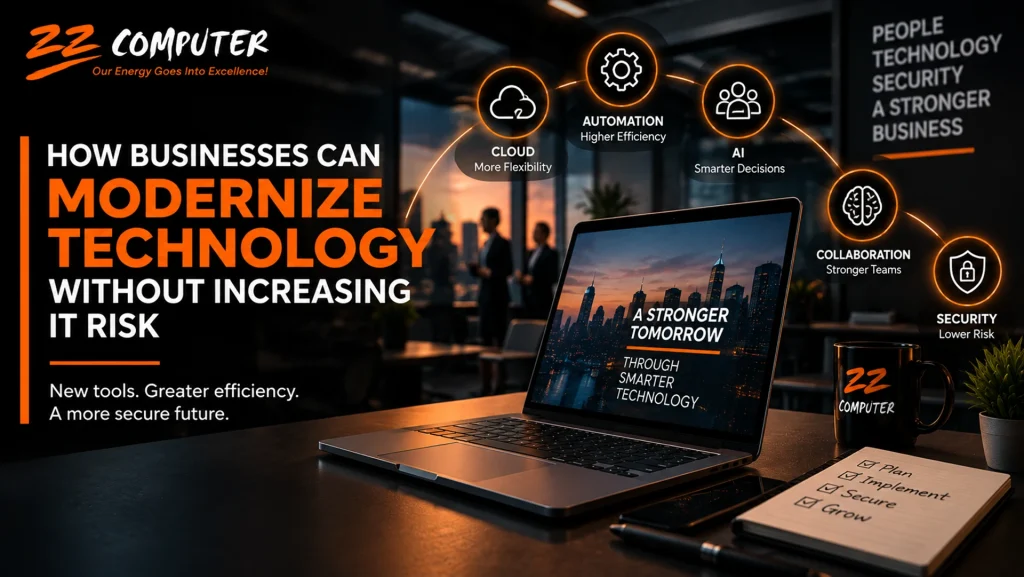
Technology changes quickly, but adopting every new tool is not a technology strategy.
For small and medium-sized businesses, the real challenge is deciding which technologies can improve operations without creating unnecessary cost, complexity, or security risk.
Cloud platforms, artificial intelligence, automation, and collaboration tools can help employees work more efficiently and serve customers more effectively. At the same time, every new application, account, integration, and connected device can create another area that must be managed and secured.
That means technology modernization should accomplish two goals at the same time:
Improve how the business operates and protect the systems, data, and people that make those improvements possible.
Digital transformation can sound like a major corporate project, but it does not have to mean replacing everything your company already uses.
For many businesses, modernization happens gradually.
It may involve moving certain systems to the cloud, automating repetitive processes, improving remote collaboration, strengthening cybersecurity, or replacing outdated software that is becoming difficult to support.
The objective is not simply to use newer technology.
The objective is to make the business more efficient, resilient, secure, and easier to manage.
Cloud technology has become a core part of business operations.
Services such as Microsoft 365, Google Workspace, cloud-hosted applications, and online file storage allow employees to work from different locations and access information without depending entirely on equipment located in one office.
Cloud services can also make it easier to scale as a company grows.
Instead of purchasing and maintaining additional infrastructure every time staffing or storage requirements increase, businesses can often adjust cloud services as their needs change.
ZZ Computer currently supports cloud solutions including Microsoft 365, Azure, and Google Workspace as part of its IT services.
Moving something to the cloud does not automatically make it secure or properly managed.
Businesses still need to consider:
The cloud can reduce some infrastructure responsibilities, but it does not eliminate the need for IT management.
Many business processes still rely on employees performing the same administrative tasks repeatedly.
Automation can help reduce that workload.
A company might automate:
The biggest benefit is not simply saving a few minutes.
Automation can help employees spend less time on repetitive administration and more time on work that requires judgment, customer interaction, or specialized knowledge.
Businesses do not need to automate everything at once.
A better approach is to identify one repetitive process that consumes significant time or frequently produces mistakes.
Improve that process first.
Once the company understands what works, similar improvements can be introduced elsewhere.
Artificial intelligence is no longer limited to experimental technology projects.
Businesses are using AI to assist with research, document preparation, data analysis, customer communication, forecasting, marketing, and internal workflows.
Used appropriately, AI can help employees complete certain tasks faster and organize large amounts of information more efficiently.
But businesses should also recognize that AI introduces new management questions.
Employees may unintentionally enter confidential customer information, internal documents, passwords, financial information, or proprietary business material into AI systems.
That creates potential privacy and security concerns.
Organizations should therefore establish clear rules about:
AI can be valuable, but it should be treated as part of the company’s technology environment rather than as an unmanaged personal tool.
Remote and hybrid work have made communication platforms central to everyday business operations.
Microsoft Teams, Zoom, cloud file-sharing platforms, project-management systems, and similar tools allow employees to collaborate from different offices, homes, or customer locations.
The original Powered Services article specifically highlights Microsoft Teams, Zoom, and Slack as examples of collaboration tools supporting distributed teams.
For many companies, these platforms are now just as important as email.
That means they also deserve the same level of attention to permissions, account security, data retention, and administration.
Every new technology creates opportunities, but it can also change the way attackers target a business.
Cybercriminals increasingly use many of the same technologies businesses use.
The source article highlights ransomware, phishing, and AI-assisted impersonation as growing concerns for businesses.
Those risks are also reflected in ZZ Computer’s current cybersecurity services, which address AI-generated phishing, deepfakes, ransomware, data theft, and unauthorized AI use.
Traditional phishing messages were often easier to recognize because of poor grammar, unusual formatting, or obvious requests.
AI makes it easier for criminals to produce messages that look professional and believable.
Attackers can imitate:
That means employees cannot rely only on whether a message “looks legitimate.”
Verification procedures and security controls become increasingly important.
Modern attacks are not limited to email.
AI-generated voices, images, and video can make impersonation more convincing.
A caller may appear to sound like an executive.
A message may closely imitate a trusted vendor.
A fake video or audio clip may create urgency around a payment or account request.
Businesses should therefore establish procedures for independently confirming unusual requests, particularly those involving money, passwords, sensitive information, or account changes.
Ransomware is not simply a cybersecurity issue.
It can prevent employees from accessing files, applications, and systems needed to operate the business.
A successful attack can affect:
That is why ransomware protection should include both prevention and recovery planning.
Security controls can reduce the likelihood of an attack succeeding, while reliable backups and documented recovery procedures help reduce the impact if one does.
There is no single security product that protects a business from every threat.
The source article correctly emphasizes a layered approach that includes MFA, backups, employee training, antivirus protection, and firewalls.
A practical security strategy may include:
The appropriate combination depends on the company’s systems, industry, size, and risk.
Technology planning is not something businesses can complete once and ignore.
Software changes.
Security threats evolve.
Employees adopt new applications.
Vendors change their platforms.
Customer expectations shift.
Businesses that review their technology regularly are better positioned to identify outdated systems, security gaps, unnecessary costs, and opportunities for improvement before those issues become urgent.
Modernization does not need to happen all at once.
A business can begin with a few focused steps.
Create an inventory of important systems, software, cloud services, subscriptions, and security tools.
You may discover duplicate products, unsupported applications, unnecessary licenses, or tools employees are using without IT oversight.
Look for a process that regularly wastes employee time.
That may be invoicing, scheduling, document management, reporting, approvals, or customer follow-up.
Determine whether technology or automation could simplify it.
Enable multi-factor authentication where appropriate and review who has access to critical systems.
Old employee accounts and excessive permissions can create unnecessary risk.
Confirm that important information is protected and that your business knows how it would recover after accidental deletion, hardware failure, ransomware, or another disruption.
Employees should understand current phishing techniques, suspicious login requests, AI-generated scams, and how to report unusual activity.
Technology should be reviewed as part of ongoing business planning rather than only when something breaks.
The best technology strategy is not the one with the most applications or the newest equipment.
It is the one that helps employees work effectively, supports customers, reduces unnecessary risk, and gives the company room to grow.
Cloud services, automation, AI, and modern collaboration tools can all contribute to that goal.
But they work best when adoption is paired with security, management, backup, employee training, and a clear understanding of why each technology is being used.
ZZ Computer helps businesses evaluate and manage technology across managed IT services, cloud solutions, cybersecurity, Microsoft 365, backup and recovery, and strategic IT consulting. Its consulting services are specifically designed to help businesses align technology decisions with operational goals, efficiency, security, and long-term planning.
If your business is considering new technology, AI tools, cloud services, automation, or security improvements, ZZ Computer can help review your current environment and develop a practical plan.
Call ZZ Computer at 310-826-6800 or contact us through the website to discuss your technology strategy.
We firmly believe that the internet should be available and accessible to anyone, and are committed to providing a website that is accessible to the widest possible audience, regardless of circumstance and ability.
To fulfill this, we aim to adhere as strictly as possible to the World Wide Web Consortium’s (W3C) Web Content Accessibility Guidelines 2.1 (WCAG 2.1) at the AA level. These guidelines explain how to make web content accessible to people with a wide array of disabilities. Complying with those guidelines helps us ensure that the website is accessible to all people: blind people, people with motor impairments, visual impairment, cognitive disabilities, and more.
This website utilizes various technologies that are meant to make it as accessible as possible at all times. We utilize an accessibility interface that allows persons with specific disabilities to adjust the website’s UI (user interface) and design it to their personal needs.
Additionally, the website utilizes an AI-based application that runs in the background and optimizes its accessibility level constantly. This application remediates the website’s HTML, adapts Its functionality and behavior for screen-readers used by the blind users, and for keyboard functions used by individuals with motor impairments.
If you’ve found a malfunction or have ideas for improvement, we’ll be happy to hear from you. You can reach out to the website’s operators by using the following email
Our website implements the ARIA attributes (Accessible Rich Internet Applications) technique, alongside various different behavioral changes, to ensure blind users visiting with screen-readers are able to read, comprehend, and enjoy the website’s functions. As soon as a user with a screen-reader enters your site, they immediately receive a prompt to enter the Screen-Reader Profile so they can browse and operate your site effectively. Here’s how our website covers some of the most important screen-reader requirements, alongside console screenshots of code examples:
Screen-reader optimization: we run a background process that learns the website’s components from top to bottom, to ensure ongoing compliance even when updating the website. In this process, we provide screen-readers with meaningful data using the ARIA set of attributes. For example, we provide accurate form labels; descriptions for actionable icons (social media icons, search icons, cart icons, etc.); validation guidance for form inputs; element roles such as buttons, menus, modal dialogues (popups), and others. Additionally, the background process scans all of the website’s images and provides an accurate and meaningful image-object-recognition-based description as an ALT (alternate text) tag for images that are not described. It will also extract texts that are embedded within the image, using an OCR (optical character recognition) technology. To turn on screen-reader adjustments at any time, users need only to press the Alt+1 keyboard combination. Screen-reader users also get automatic announcements to turn the Screen-reader mode on as soon as they enter the website.
These adjustments are compatible with all popular screen readers, including JAWS and NVDA.
Keyboard navigation optimization: The background process also adjusts the website’s HTML, and adds various behaviors using JavaScript code to make the website operable by the keyboard. This includes the ability to navigate the website using the Tab and Shift+Tab keys, operate dropdowns with the arrow keys, close them with Esc, trigger buttons and links using the Enter key, navigate between radio and checkbox elements using the arrow keys, and fill them in with the Spacebar or Enter key.Additionally, keyboard users will find quick-navigation and content-skip menus, available at any time by clicking Alt+1, or as the first elements of the site while navigating with the keyboard. The background process also handles triggered popups by moving the keyboard focus towards them as soon as they appear, and not allow the focus drift outside of it.
Users can also use shortcuts such as “M” (menus), “H” (headings), “F” (forms), “B” (buttons), and “G” (graphics) to jump to specific elements.
We aim to support the widest array of browsers and assistive technologies as possible, so our users can choose the best fitting tools for them, with as few limitations as possible. Therefore, we have worked very hard to be able to support all major systems that comprise over 95% of the user market share including Google Chrome, Mozilla Firefox, Apple Safari, Opera and Microsoft Edge, JAWS and NVDA (screen readers), both for Windows and for MAC users.
Despite our very best efforts to allow anybody to adjust the website to their needs, there may still be pages or sections that are not fully accessible, are in the process of becoming accessible, or are lacking an adequate technological solution to make them accessible. Still, we are continually improving our accessibility, adding, updating and improving its options and features, and developing and adopting new technologies. All this is meant to reach the optimal level of accessibility, following technological advancements. For any assistance, please reach out to