Imagine receiving an urgent notification that one of your company’s critical systems is unavailable.
Your monitoring platform detected the problem immediately. An unusual event was identified, an alert was generated, and the appropriate people were notified.
That’s valuable.
But the most important question is what happens next.
Knowing that a server, network, application, or backup system has failed does not automatically mean the problem can be resolved quickly. Your ability to recover depends on the systems, backups, procedures, documentation, and people that were prepared before the incident occurred.
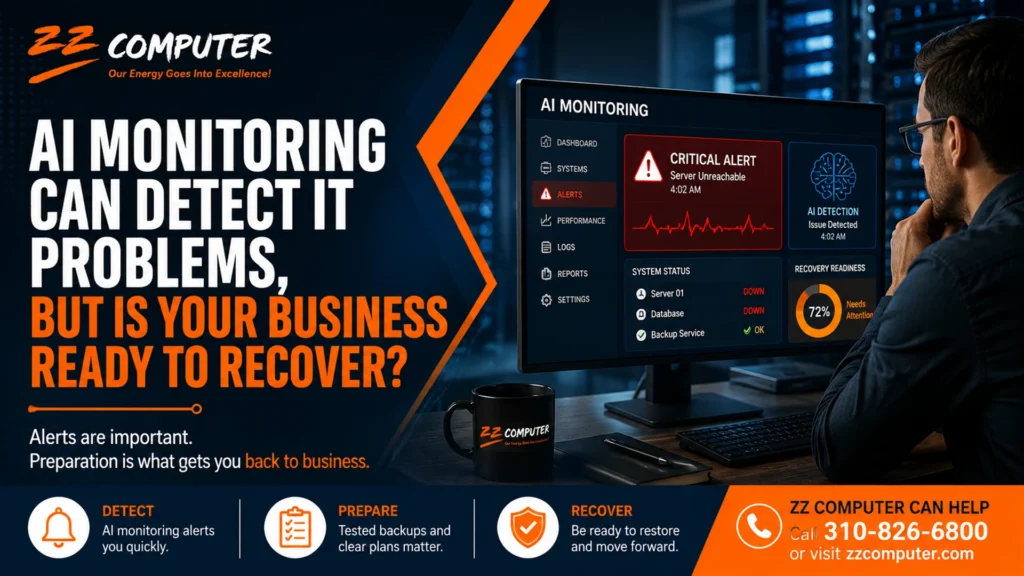
As artificial intelligence becomes more common in IT monitoring and cybersecurity, businesses need to understand an important distinction: detecting a problem and recovering from one are two different capabilities.
Artificial intelligence can make IT monitoring more effective by analyzing large amounts of system information and identifying activity that may deserve attention.
Depending on the technology being used, monitoring systems may help identify:
Earlier detection can give an IT team valuable time to investigate and respond.
However, receiving a fast alert does not answer several important business questions.
Those questions belong to business continuity and disaster recovery planning, not monitoring alone.
A monitoring system can be compared to an early-warning system.
The warning is important because it tells you that something needs attention. But the warning itself does not guarantee a successful outcome.
Consider a business whose primary server suddenly becomes unavailable.
Monitoring may identify the failure within minutes. The technical team now knows there is a problem, but several additional steps may still be required.
They need to determine what failed, identify which business functions are affected, decide whether the equipment can be repaired or must be replaced, determine which backup should be restored, verify that the backup is usable, and return employees to a working environment.
The same principle applies to ransomware, accidental file deletion, cloud application problems, damaged hardware, internet outages, and other disruptions.
The amount of downtime a business experiences often depends on preparation.
Two companies could experience similar technology failures yet have dramatically different recovery experiences.
One company may spend hours determining where its backups are stored, which systems have priority, who has the necessary credentials, and what steps should be taken.
Another may already have documented recovery procedures, verified backups, system information, responsible personnel, and an established sequence for restoring operations.
The technology problem may be similar.
The level of preparedness is not.
Backups are one of the most important components of disaster recovery, but simply having a backup system isn’t enough.
A successful backup notification tells you that data was copied. A recovery test helps determine whether that data can actually be restored in a usable form.
There are several issues that may not become apparent until someone attempts a restore.
A backup system might be protecting shared files while overlooking another important source of business information.
For example, a company may need to consider servers, employee workstations, databases, Microsoft 365 data, cloud applications, accounting information, and other business-critical systems.
The exact requirements vary from one organization to another.
Having a usable backup is important, but so is knowing how much recent information could be lost.
If an application fails today and the most useful recovery point is several days old, the company may need to recreate transactions, documents, communications, or other work completed since that backup.
Businesses often focus on whether data is backed up without determining how long restoring that data and the systems that use it will actually take.
Restoring several files is very different from rebuilding an entire server, recovering a database, replacing failed hardware, or restoring multiple business applications.
That is why recovery time should be considered before an emergency occurs.
A disaster recovery document is useful, but its real value comes from determining whether the procedures actually work.
Recovery testing can uncover problems while there is still time to correct them.
A test might reveal that credentials are outdated, documentation is incomplete, an application depends on another system that wasn’t included in the plan, or restoring large amounts of data takes longer than expected.
Finding those problems during a controlled test is considerably better than discovering them during a real outage.
A business’s technology environment rarely stays exactly the same.
New employees are hired. Servers are replaced. Cloud services are added. Applications change. Employees begin working remotely. New cybersecurity protections are introduced.
A disaster recovery plan that accurately reflected the business two years ago may no longer reflect the systems the company depends on today.
Recovery planning should therefore be reviewed as the technology environment changes.
Technology receives most of the attention during disaster recovery planning, but people and communication are equally important.
When a serious outage occurs, employees should not have to determine responsibilities from scratch.
A recovery plan should establish questions such as:
Who Coordinates the Response?
Someone needs responsibility for coordinating technical recovery and keeping the appropriate business leaders informed.
Which Systems Have Priority?
Not every system has the same importance.
Email, customer databases, accounting applications, file servers, phone systems, websites, production systems, and other resources may have different priorities depending on the business.
Those priorities should be determined before systems become unavailable.
How Will Employees Continue Working?
Some businesses may be able to temporarily use cloud applications, alternate internet connections, remote access, replacement devices, or another location.
Other organizations may depend heavily on systems located at their primary office.
The important point is to understand the alternatives ahead of time.
You don’t need to wait for a major outage to determine whether your company is prepared.
Start with a few practical questions:
If several of these questions are difficult to answer, your organization may have an opportunity to improve its recovery readiness.
AI-assisted monitoring can be an excellent component of a modern IT environment.
It can help IT professionals identify problems sooner, recognize abnormal behavior, prioritize alerts, and respond more efficiently.
But monitoring works best as one layer of a broader technology strategy.
Businesses still need properly configured backups, cybersecurity protections, documented systems, recovery procedures, knowledgeable IT support, and periodic testing.
The goal isn’t simply to know quickly that something went wrong.
The goal is to restore business operations safely and efficiently after it does.
Technology disruptions are difficult enough without trying to design the recovery process during the emergency.
A well-prepared business understands what systems are critical, where important data is protected, how systems will be restored, who is responsible for each part of the response, and what employees should do during the interruption.
AI and automated monitoring can provide earlier warning and better visibility. A tested disaster recovery and business continuity strategy provides the plan for what comes afterward.
ZZ Computer helps small and medium-sized businesses evaluate their IT environments, backup systems, business continuity needs, and disaster recovery strategies.
We can help review your existing backup and recovery approach, identify potential gaps, and determine whether the systems your business relies on are adequately protected and recoverable.
The best time to discover a recovery problem is before your business is depending on that recovery process.
If you’re unsure how quickly your company could recover from a server failure, cyberattack, accidental deletion, or another major IT disruption, contact ZZ Computer to discuss your current environment and recovery strategy.
Call ZZ Computer at 310-826-6800 or contact us through our website to discuss your backup, disaster recovery, and managed IT support needs.
We firmly believe that the internet should be available and accessible to anyone, and are committed to providing a website that is accessible to the widest possible audience, regardless of circumstance and ability.
To fulfill this, we aim to adhere as strictly as possible to the World Wide Web Consortium’s (W3C) Web Content Accessibility Guidelines 2.1 (WCAG 2.1) at the AA level. These guidelines explain how to make web content accessible to people with a wide array of disabilities. Complying with those guidelines helps us ensure that the website is accessible to all people: blind people, people with motor impairments, visual impairment, cognitive disabilities, and more.
This website utilizes various technologies that are meant to make it as accessible as possible at all times. We utilize an accessibility interface that allows persons with specific disabilities to adjust the website’s UI (user interface) and design it to their personal needs.
Additionally, the website utilizes an AI-based application that runs in the background and optimizes its accessibility level constantly. This application remediates the website’s HTML, adapts Its functionality and behavior for screen-readers used by the blind users, and for keyboard functions used by individuals with motor impairments.
If you’ve found a malfunction or have ideas for improvement, we’ll be happy to hear from you. You can reach out to the website’s operators by using the following email
Our website implements the ARIA attributes (Accessible Rich Internet Applications) technique, alongside various different behavioral changes, to ensure blind users visiting with screen-readers are able to read, comprehend, and enjoy the website’s functions. As soon as a user with a screen-reader enters your site, they immediately receive a prompt to enter the Screen-Reader Profile so they can browse and operate your site effectively. Here’s how our website covers some of the most important screen-reader requirements, alongside console screenshots of code examples:
Screen-reader optimization: we run a background process that learns the website’s components from top to bottom, to ensure ongoing compliance even when updating the website. In this process, we provide screen-readers with meaningful data using the ARIA set of attributes. For example, we provide accurate form labels; descriptions for actionable icons (social media icons, search icons, cart icons, etc.); validation guidance for form inputs; element roles such as buttons, menus, modal dialogues (popups), and others. Additionally, the background process scans all of the website’s images and provides an accurate and meaningful image-object-recognition-based description as an ALT (alternate text) tag for images that are not described. It will also extract texts that are embedded within the image, using an OCR (optical character recognition) technology. To turn on screen-reader adjustments at any time, users need only to press the Alt+1 keyboard combination. Screen-reader users also get automatic announcements to turn the Screen-reader mode on as soon as they enter the website.
These adjustments are compatible with all popular screen readers, including JAWS and NVDA.
Keyboard navigation optimization: The background process also adjusts the website’s HTML, and adds various behaviors using JavaScript code to make the website operable by the keyboard. This includes the ability to navigate the website using the Tab and Shift+Tab keys, operate dropdowns with the arrow keys, close them with Esc, trigger buttons and links using the Enter key, navigate between radio and checkbox elements using the arrow keys, and fill them in with the Spacebar or Enter key.Additionally, keyboard users will find quick-navigation and content-skip menus, available at any time by clicking Alt+1, or as the first elements of the site while navigating with the keyboard. The background process also handles triggered popups by moving the keyboard focus towards them as soon as they appear, and not allow the focus drift outside of it.
Users can also use shortcuts such as “M” (menus), “H” (headings), “F” (forms), “B” (buttons), and “G” (graphics) to jump to specific elements.
We aim to support the widest array of browsers and assistive technologies as possible, so our users can choose the best fitting tools for them, with as few limitations as possible. Therefore, we have worked very hard to be able to support all major systems that comprise over 95% of the user market share including Google Chrome, Mozilla Firefox, Apple Safari, Opera and Microsoft Edge, JAWS and NVDA (screen readers), both for Windows and for MAC users.
Despite our very best efforts to allow anybody to adjust the website to their needs, there may still be pages or sections that are not fully accessible, are in the process of becoming accessible, or are lacking an adequate technological solution to make them accessible. Still, we are continually improving our accessibility, adding, updating and improving its options and features, and developing and adopting new technologies. All this is meant to reach the optimal level of accessibility, following technological advancements. For any assistance, please reach out to