
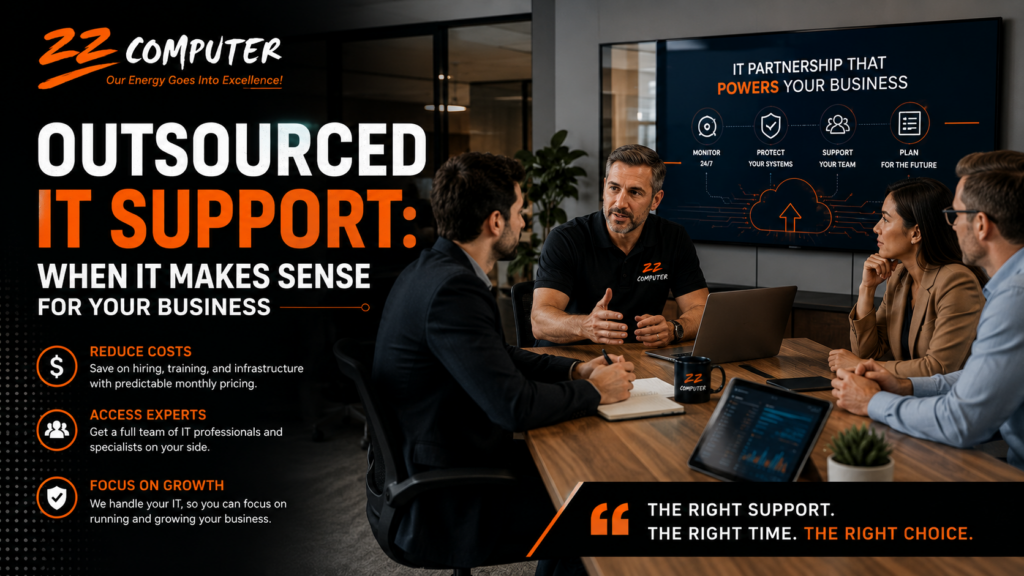
Technology is involved in nearly every part of running a modern business. Employees depend on computers, email, cloud applications, internet access and shared files to complete their work. Customers expect fast communication, reliable service and secure handling of their information.
When these systems work properly, technology can improve productivity and make daily operations easier. When they do not, even a relatively small problem can interrupt an entire workday.
Managing that technology requires time, planning and a range of technical skills. For many small and mid-sized companies, maintaining a complete internal IT department is not practical. Outsourced IT support offers another option by giving the business access to an established team without requiring it to hire every technical role internally.
Outsourced IT support means hiring an external company to manage some or all of your organization’s technology needs.
The provider may act as your primary IT department, assist an existing employee or work alongside an internal technical team. The arrangement can be adjusted according to the company’s size, industry, systems and level of support required.
Services may include:
The goal is not simply to repair computers when something breaks. A well-structured IT partnership helps keep systems reliable, secure and aligned with the needs of the business.
One internal technician may be highly capable, but no single person is likely to specialize in every area of business technology.
A company may need knowledge of networking, cloud systems, Microsoft 365, cybersecurity, data recovery, hardware and industry-specific software. Outsourcing provides access to professionals with different areas of expertise.
This becomes particularly valuable when a business encounters a complex problem or begins a project that falls outside the experience of its internal staff.
Relying on one employee can create gaps when that person is sick, on vacation or already working on another urgent issue.
An outsourced provider uses a team-based support model. Requests can be assigned to an available technician, reducing the business’s dependence on one individual.
Before selecting a provider, businesses should confirm its support hours, response procedures and escalation process. Not every service plan includes around-the-clock assistance, so expectations should be clearly defined in advance.
Employee turnover can create significant disruption, especially when one person holds most of the company’s technical knowledge.
An established IT provider should document network settings, equipment, passwords, support history and important procedures. This documentation allows another technician to continue the work when staffing changes occur.
Better documentation also reduces the risk of essential information being lost when an employee leaves.
Traditional break-fix support usually begins after something has already failed. Outsourced managed IT services can take a more preventive approach.
Systems may be monitored for warning signs such as:
Addressing these issues early can reduce unexpected interruptions and help extend the useful life of business technology.
Hiring internally involves more than paying a salary. Businesses must also account for benefits, payroll costs, recruitment, training, equipment and continuing education.
Many outsourced IT arrangements use a recurring monthly fee based on the number of users, devices or services included. This can make routine IT spending easier to forecast.
However, businesses should carefully review the agreement. Projects, emergency work, hardware purchases or after-hours support may be billed separately.
Predictable pricing is valuable only when the scope of service is clearly explained.
Business owners and employees often become the unofficial IT department when technical support is limited.
Time spent troubleshooting printers, resetting accounts, resolving software problems or contacting vendors is time taken away from customers and other priorities.
Outsourcing these responsibilities allows employees to focus on the work they were hired to perform while qualified technicians handle the technology.
IT outsourcing does not have to be an all-or-nothing decision.
Some companies use a fully outsourced model because they do not employ technical staff. Others use co-managed IT, where an external provider supports the internal team.
For example, internal employees may understand the company’s applications and daily workflow, while the outside provider manages cybersecurity, backups, network monitoring or projects.
This shared approach can provide additional expertise and coverage without removing the value of the internal team.
The right provider should understand both technology and business operations.
Before entering an agreement, ask:
1. What Is Included in the Service Plan?
Request a clear explanation of covered services, additional fees and any limitations.
2. How Are Support Requests Handled?
Find out how employees request assistance, how priorities are assigned and what response times are offered.
3. How Will Our Systems Be Documented?
The provider should maintain current records of equipment, software, configurations and important procedures.
4. What Security Services Are Provided?
Ask about endpoint protection, software patching, email security, access controls, backups and employee security awareness.
5. Can the Service Grow with the Business?
The provider should be able to support new employees, locations, cloud services and changing operational requirements.
6. Will We Receive Strategic Guidance?
Reliable IT support should include more than technical repairs. The provider should help evaluate risks, plan upgrades and make informed technology decisions.
Outsourcing may be worth considering when:
The best arrangement depends on the company. Some businesses need a complete outsourced IT department, while others need additional expertise to strengthen their current team.
Technology should help your business operate efficiently, not create constant uncertainty. The right IT support model can improve reliability, provide access to specialized knowledge and give management a clearer understanding of technology costs and risks.
ZZ Computer provides managed IT support, cybersecurity, cloud solutions, backup services and technology guidance for businesses that need dependable help managing their systems.
Contact ZZ Computer to discuss your current IT environment and determine whether fully outsourced or co-managed IT support is the right approach for your organization.
We firmly believe that the internet should be available and accessible to anyone, and are committed to providing a website that is accessible to the widest possible audience, regardless of circumstance and ability.
To fulfill this, we aim to adhere as strictly as possible to the World Wide Web Consortium’s (W3C) Web Content Accessibility Guidelines 2.1 (WCAG 2.1) at the AA level. These guidelines explain how to make web content accessible to people with a wide array of disabilities. Complying with those guidelines helps us ensure that the website is accessible to all people: blind people, people with motor impairments, visual impairment, cognitive disabilities, and more.
This website utilizes various technologies that are meant to make it as accessible as possible at all times. We utilize an accessibility interface that allows persons with specific disabilities to adjust the website’s UI (user interface) and design it to their personal needs.
Additionally, the website utilizes an AI-based application that runs in the background and optimizes its accessibility level constantly. This application remediates the website’s HTML, adapts Its functionality and behavior for screen-readers used by the blind users, and for keyboard functions used by individuals with motor impairments.
If you’ve found a malfunction or have ideas for improvement, we’ll be happy to hear from you. You can reach out to the website’s operators by using the following email
Our website implements the ARIA attributes (Accessible Rich Internet Applications) technique, alongside various different behavioral changes, to ensure blind users visiting with screen-readers are able to read, comprehend, and enjoy the website’s functions. As soon as a user with a screen-reader enters your site, they immediately receive a prompt to enter the Screen-Reader Profile so they can browse and operate your site effectively. Here’s how our website covers some of the most important screen-reader requirements, alongside console screenshots of code examples:
Screen-reader optimization: we run a background process that learns the website’s components from top to bottom, to ensure ongoing compliance even when updating the website. In this process, we provide screen-readers with meaningful data using the ARIA set of attributes. For example, we provide accurate form labels; descriptions for actionable icons (social media icons, search icons, cart icons, etc.); validation guidance for form inputs; element roles such as buttons, menus, modal dialogues (popups), and others. Additionally, the background process scans all of the website’s images and provides an accurate and meaningful image-object-recognition-based description as an ALT (alternate text) tag for images that are not described. It will also extract texts that are embedded within the image, using an OCR (optical character recognition) technology. To turn on screen-reader adjustments at any time, users need only to press the Alt+1 keyboard combination. Screen-reader users also get automatic announcements to turn the Screen-reader mode on as soon as they enter the website.
These adjustments are compatible with all popular screen readers, including JAWS and NVDA.
Keyboard navigation optimization: The background process also adjusts the website’s HTML, and adds various behaviors using JavaScript code to make the website operable by the keyboard. This includes the ability to navigate the website using the Tab and Shift+Tab keys, operate dropdowns with the arrow keys, close them with Esc, trigger buttons and links using the Enter key, navigate between radio and checkbox elements using the arrow keys, and fill them in with the Spacebar or Enter key.Additionally, keyboard users will find quick-navigation and content-skip menus, available at any time by clicking Alt+1, or as the first elements of the site while navigating with the keyboard. The background process also handles triggered popups by moving the keyboard focus towards them as soon as they appear, and not allow the focus drift outside of it.
Users can also use shortcuts such as “M” (menus), “H” (headings), “F” (forms), “B” (buttons), and “G” (graphics) to jump to specific elements.
We aim to support the widest array of browsers and assistive technologies as possible, so our users can choose the best fitting tools for them, with as few limitations as possible. Therefore, we have worked very hard to be able to support all major systems that comprise over 95% of the user market share including Google Chrome, Mozilla Firefox, Apple Safari, Opera and Microsoft Edge, JAWS and NVDA (screen readers), both for Windows and for MAC users.
Despite our very best efforts to allow anybody to adjust the website to their needs, there may still be pages or sections that are not fully accessible, are in the process of becoming accessible, or are lacking an adequate technological solution to make them accessible. Still, we are continually improving our accessibility, adding, updating and improving its options and features, and developing and adopting new technologies. All this is meant to reach the optimal level of accessibility, following technological advancements. For any assistance, please reach out to