Protecting Southern California’s Businesses Against AI-Driven Threats and New Regulatory Mandates
In 2026, the cybersecurity landscape for Los Angeles organizations has shifted. As local businesses integrate AI into their daily operations, cybercriminals have followed suit—deploying automated attack agents and sophisticated deepfakes to bypass traditional defenses.
ZZ Computer provides proactive, enterprise-grade cybersecurity for LA-based firms, law offices, and creative agencies. We don’t just “fix” IT; we build resilient digital fortresses that meet the strict 2026 California CPPA audit requirements.
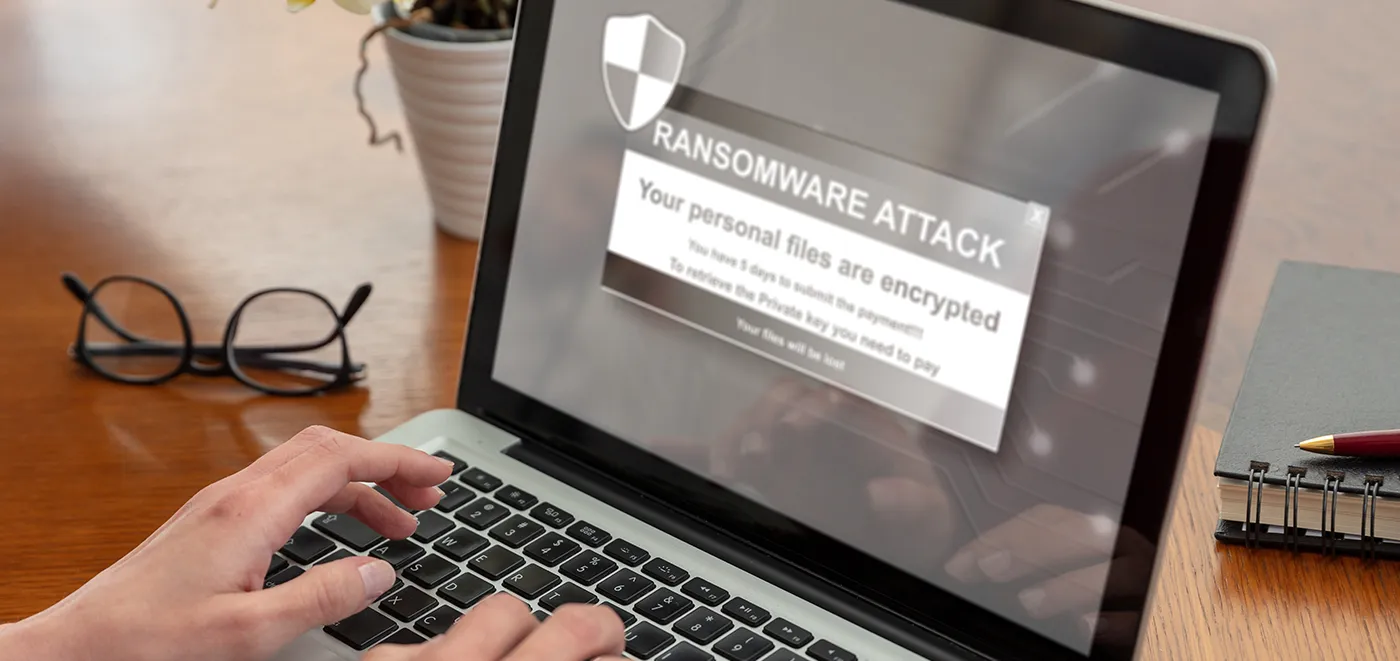
Generic antivirus is no longer enough. To stay indexed and secure in today’s environment, your defense must account for:
AI-Powered Phishing & Deepfakes: Attackers now use real-time voice and video cloning to impersonate executives. We implement “Identity-First” security to ensure your team never falls for a high-tech scam.
Modern Extortion (Data Exfiltration): 2026 hackers don’t just lock your files; they steal them. We focus on Data Loss Prevention (DLP) to stop sensitive client info from leaving your network.
Shadow AI Governance: Many employees now use unauthorized AI tools that leak corporate data. We help you audit and secure your “Shadow AI” footprint.
As of January 1, 2026, the California Privacy Protection Agency (CPPA) has enacted new, mandatory cybersecurity audit rules. If your business meets the revenue or data thresholds, you are now required to conduct annual, independent security audits.
Independent Audit Readiness: We align your systems with the 18 technical components required by the CPPA.
Risk Assessments: We document how you process sensitive California consumer data to prevent staggering state-level fines (up to $7,988 per violation).
Audit-Ready Documentation: We maintain the five-year record retention required for regulatory peace of mind.
We utilize a Zero-Trust Architecture, meaning we verify every access request as if it originated from the open web.
Layer 1: Perimeter Intelligence: Continuous 24/7 monitoring that detects AI-driven “probing” before a breach occurs.
Layer 2: Immutable Backups: We provide “air-gapped” cloud storage. Even if ransomware hits your live site, your backups remain untouched and unhackable.
Layer 3: Managed Detection & Response (MDR): Our LA-based SOC (Security Operations Center) handles the heavy lifting so your staff can focus on growth.
Don’t wait for a CPPA inquiry or a ransomware notification. Secure your Southern California business today with the experts at ZZ Computer.
Under the new CPPA regulations, many California businesses must now certify their security posture annually. Even if you fall below the revenue threshold, being “audit-ready” is now the standard for doing business with larger partners in the Los Angeles area.
We use risk-adaptive authentication. If a login attempt or request looks unusual—even if the voice sounds like your CEO—our system triggers mandatory multi-factor challenges that deepfakes cannot pass.
In 2026, Third-Party Risk is the leading cause of breaches. We vet your vendors and API integrations to ensure your business isn’t vulnerable through a partner’s weak security.
We firmly believe that the internet should be available and accessible to anyone, and are committed to providing a website that is accessible to the widest possible audience, regardless of circumstance and ability.
To fulfill this, we aim to adhere as strictly as possible to the World Wide Web Consortium’s (W3C) Web Content Accessibility Guidelines 2.1 (WCAG 2.1) at the AA level. These guidelines explain how to make web content accessible to people with a wide array of disabilities. Complying with those guidelines helps us ensure that the website is accessible to all people: blind people, people with motor impairments, visual impairment, cognitive disabilities, and more.
This website utilizes various technologies that are meant to make it as accessible as possible at all times. We utilize an accessibility interface that allows persons with specific disabilities to adjust the website’s UI (user interface) and design it to their personal needs.
Additionally, the website utilizes an AI-based application that runs in the background and optimizes its accessibility level constantly. This application remediates the website’s HTML, adapts Its functionality and behavior for screen-readers used by the blind users, and for keyboard functions used by individuals with motor impairments.
If you’ve found a malfunction or have ideas for improvement, we’ll be happy to hear from you. You can reach out to the website’s operators by using the following email
Our website implements the ARIA attributes (Accessible Rich Internet Applications) technique, alongside various different behavioral changes, to ensure blind users visiting with screen-readers are able to read, comprehend, and enjoy the website’s functions. As soon as a user with a screen-reader enters your site, they immediately receive a prompt to enter the Screen-Reader Profile so they can browse and operate your site effectively. Here’s how our website covers some of the most important screen-reader requirements, alongside console screenshots of code examples:
Screen-reader optimization: we run a background process that learns the website’s components from top to bottom, to ensure ongoing compliance even when updating the website. In this process, we provide screen-readers with meaningful data using the ARIA set of attributes. For example, we provide accurate form labels; descriptions for actionable icons (social media icons, search icons, cart icons, etc.); validation guidance for form inputs; element roles such as buttons, menus, modal dialogues (popups), and others. Additionally, the background process scans all of the website’s images and provides an accurate and meaningful image-object-recognition-based description as an ALT (alternate text) tag for images that are not described. It will also extract texts that are embedded within the image, using an OCR (optical character recognition) technology. To turn on screen-reader adjustments at any time, users need only to press the Alt+1 keyboard combination. Screen-reader users also get automatic announcements to turn the Screen-reader mode on as soon as they enter the website.
These adjustments are compatible with all popular screen readers, including JAWS and NVDA.
Keyboard navigation optimization: The background process also adjusts the website’s HTML, and adds various behaviors using JavaScript code to make the website operable by the keyboard. This includes the ability to navigate the website using the Tab and Shift+Tab keys, operate dropdowns with the arrow keys, close them with Esc, trigger buttons and links using the Enter key, navigate between radio and checkbox elements using the arrow keys, and fill them in with the Spacebar or Enter key.Additionally, keyboard users will find quick-navigation and content-skip menus, available at any time by clicking Alt+1, or as the first elements of the site while navigating with the keyboard. The background process also handles triggered popups by moving the keyboard focus towards them as soon as they appear, and not allow the focus drift outside of it.
Users can also use shortcuts such as “M” (menus), “H” (headings), “F” (forms), “B” (buttons), and “G” (graphics) to jump to specific elements.
We aim to support the widest array of browsers and assistive technologies as possible, so our users can choose the best fitting tools for them, with as few limitations as possible. Therefore, we have worked very hard to be able to support all major systems that comprise over 95% of the user market share including Google Chrome, Mozilla Firefox, Apple Safari, Opera and Microsoft Edge, JAWS and NVDA (screen readers), both for Windows and for MAC users.
Despite our very best efforts to allow anybody to adjust the website to their needs, there may still be pages or sections that are not fully accessible, are in the process of becoming accessible, or are lacking an adequate technological solution to make them accessible. Still, we are continually improving our accessibility, adding, updating and improving its options and features, and developing and adopting new technologies. All this is meant to reach the optimal level of accessibility, following technological advancements. For any assistance, please reach out to